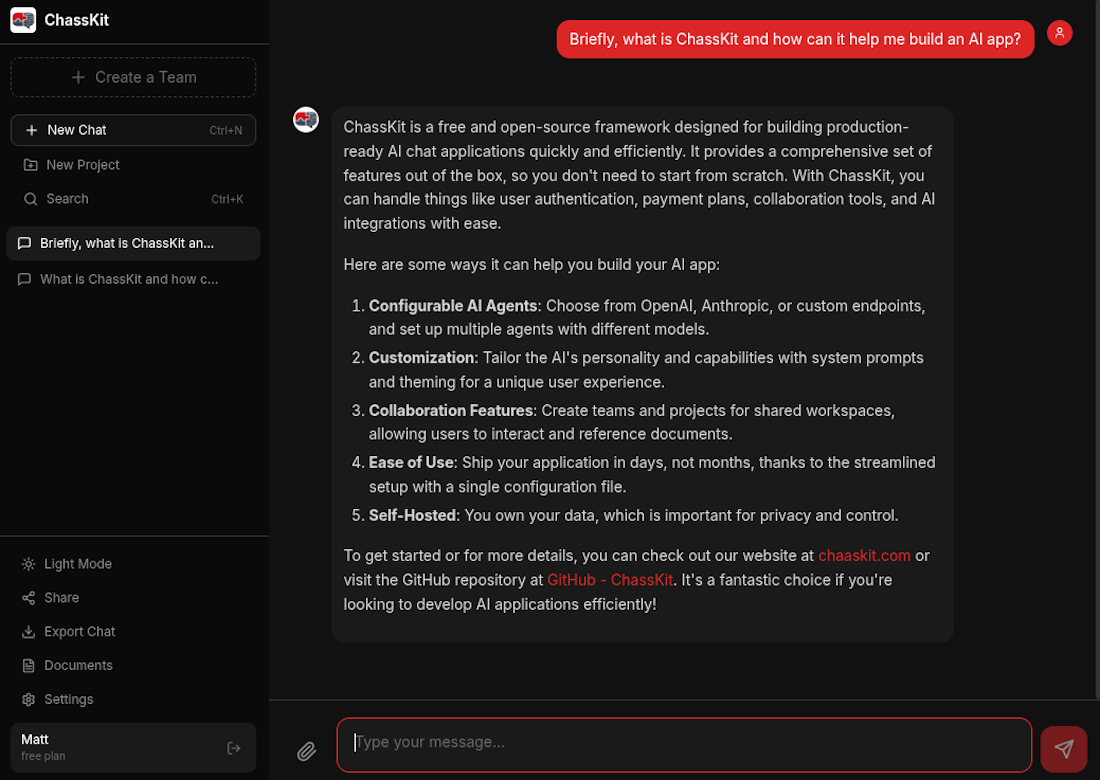
ChaasKit is a full-stack framework for building production-ready AI chat applications. Teams, projects, MCP tools, payments, and more — out of the box.
MIT Licensed • TypeScript • React

Features
A complete toolkit for building, deploying, and scaling AI applications
Connect to OpenAI, Anthropic, or bring your own AI endpoint. Switch between models with a single config change.
Enable your AI with powerful tools via Model Context Protocol. Connect GitHub, databases, APIs, and more.
Collaborate with your team in shared workspaces. Set team context, manage roles, and keep projects organized.
Keep conversations organized with project folders. Each project can have its own AI context and settings.
Upload documents and reference them in chat with @mentions. The AI understands your files and can answer questions about them.
Custom theming, branding, and authentication. Make it yours with a single configuration file.
How It Works
Get your AI chat app running in minutes, not months
Set up your AI provider, authentication, and branding in a single config file.
Connect MCP servers to give your AI superpowers - file access, APIs, databases, and more.
Ship to production with Docker, Railway, or any Node.js hosting platform.
Get Started
Scaffold a complete AI chat app in seconds
$ npx create-chaaskit create my-appConfiguration
Everything from AI agents to payments, theming to team permissions — controlled from a single TypeScript file.
agent: {
agents: [
{
id: 'general',
name: 'Assistant',
provider: 'openai',
model: 'gpt-4o-mini',
systemPrompt: 'You are helpful.',
isDefault: true,
},
{
id: 'code-expert',
name: 'Code Expert',
provider: 'anthropic',
model: 'claude-sonnet-4-20250514',
allowedTools: ['github:*'],
plans: ['pro'],
},
],
}mcp: {
servers: [
{
id: 'filesystem',
transport: 'stdio',
command: 'npx',
args: ['-y', '@mcp/server-fs'],
},
{
id: 'github',
transport: 'streamable-http',
url: 'https://mcp.github.com',
authMode: 'user-oauth',
},
],
}auth: {
methods: [
'email-password',
'google',
'github',
'magic-link'
],
emailVerification: {
enabled: true,
codeLength: 6,
},
magicLink: {
enabled: true,
expiresInMinutes: 15,
},
}payments: {
enabled: true,
provider: 'stripe',
plans: [
{
id: 'free',
name: 'Free',
type: 'free',
params: { monthlyMessageLimit: 20 },
},
{
id: 'pro',
name: 'Pro',
type: 'subscription',
params: {
stripePriceId: 'price_...',
monthlyLimit: 1000,
},
},
],
}// tailwind.config.ts
createChaaskitPreset({
themes: {
dark: {
primary: '#dc2626',
background: '#111111',
sidebar: '#0a0a0a',
},
light: {
primary: '#dc2626',
background: '#ffffff',
},
},
defaultTheme: 'dark',
fonts: {
sans: "'Inter', system-ui",
mono: "'JetBrains Mono'",
},
})slack: {
enabled: true,
aiChat: {
enabled: true,
threadContinuity: true,
},
},
documents: {
enabled: true,
storage: { provider: 'database' },
maxFileSizeMB: 10,
},
scheduledPrompts: {
enabled: true,
featureName: 'Automations',
},All configuration sections available in app.config.ts
Start with the demo, explore the docs, or dive straight into the code.